What's new · 30 September 2026

What's new in KoreLab, screen by screen

Labels that compose themselves, private label without mistakes, pallets with their own SSCC, wines and liqueurs, delivery notes from draft to delivery and purchases that talk to each other. Every feature below is already in the product.

The screenshots come from the real app with sample data: company, product and address names are made up.

Environmental labelling of packaging

For each packaging item you write once its type (bag, header card, jar…), the material code (PP 5, PAP 22, GL 70, composites such as C/PAP 81 too) and the collection stream, which KoreLab suggests from the code. If stream and material don't match, or the code contradicts the CONAI material, a warning appears. «Separated by hand» removes the stream from components glued to the pack.

  • CONAI material and band with the contribution calculated
  • Bulk edit with before/after preview and Undo
  • «Disposal sheet (counter)»: a PDF to display at the point of sale
  • In Products, «Copy pack from…» and a badge on products with a component without a code

It helps you meet Italian Legislative Decree 152/2006, art. 219: the right collection depends on your municipality, and the wording that says so stays.
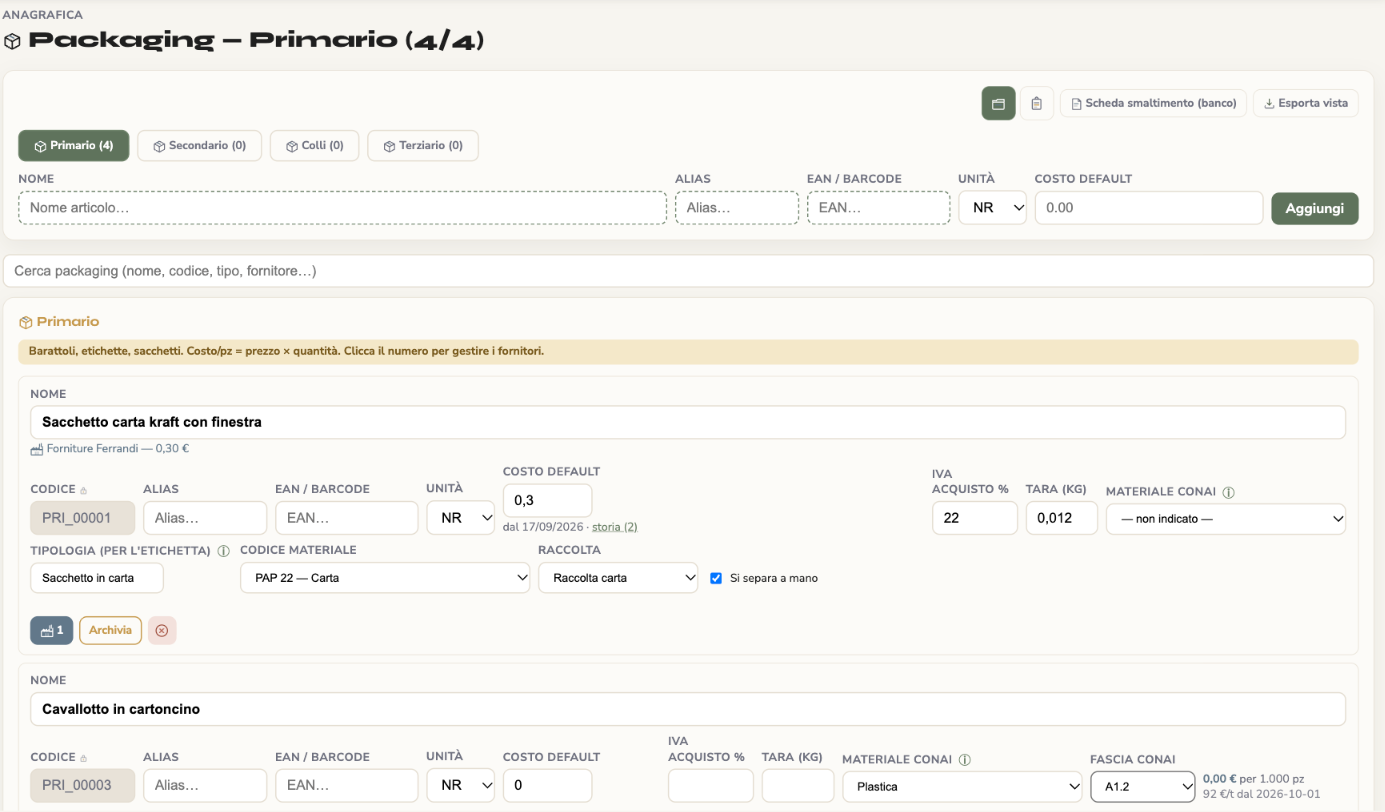
KoreLab Packaging page: item with type, material code PAP 22, paper collection and CONAI material

Disposal in the technical sheet

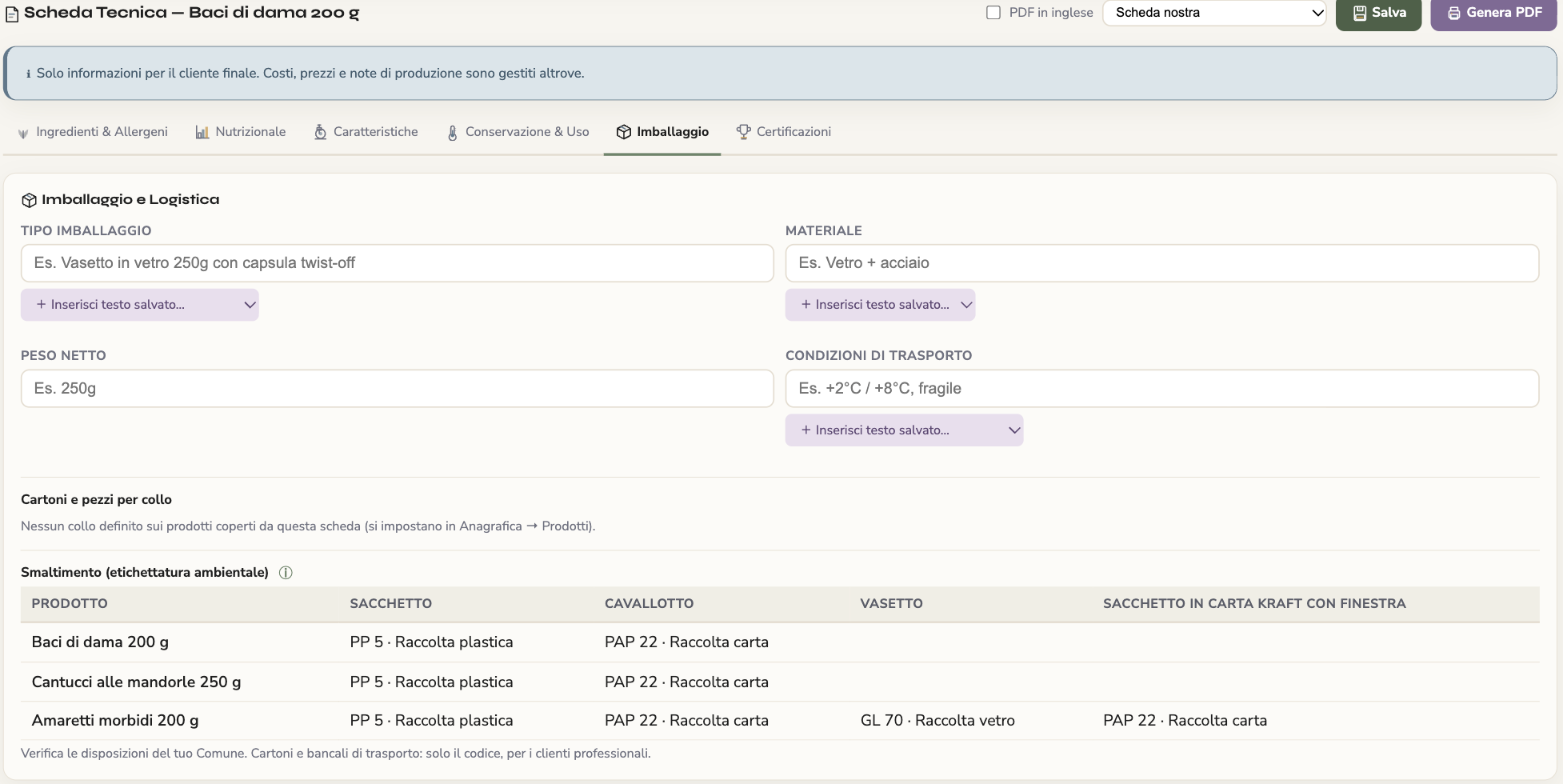
The technical sheet has its own «Disposal» table: one row for each pack size it covers and one column per pack component, with code and stream taken from the packaging. The same table appears in the PDF.

  • Nothing to retype: it comes from the packaging
  • Shipping cases and pallets: code only, for business customers
KoreLab technical sheet, Packaging tab: disposal table with one row per product and one column per component

More readable labels, in English too

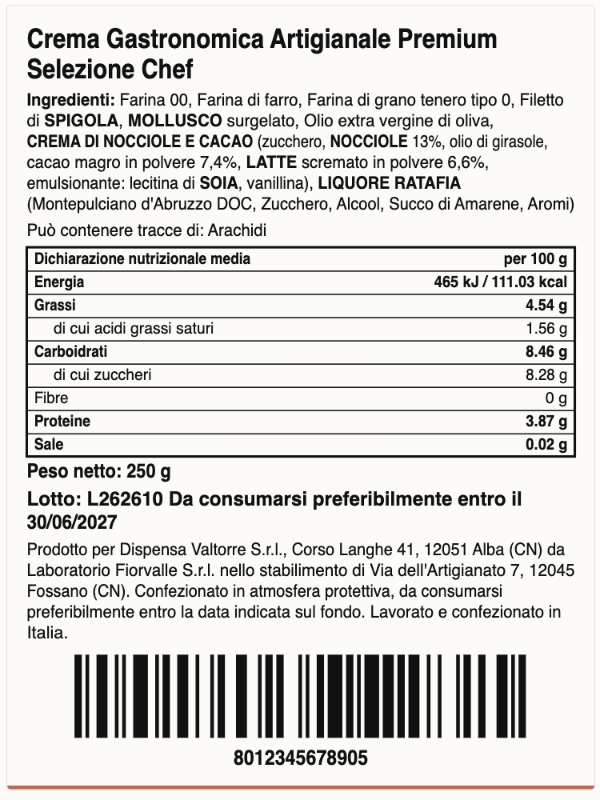
In the ingredient list the allergen word is in BOLD CAPITALS, not the whole name. Cocoa butter and coconut milk are not mistaken for dairy, and KoreLab recognises many more terms, such as metabisulphite, E220–E228, caseinates or «tree nuts».

  • English labels and sheets with each raw material's English name
  • If one is missing, KoreLab tells you which to complete instead of translating halfway
  • Batch always printed, real barcode, preview identical to the print
60×80 mm label generated by KoreLab with allergens in bold capitals, nutrition table, batch and barcode

Private label: the brand is the customer's

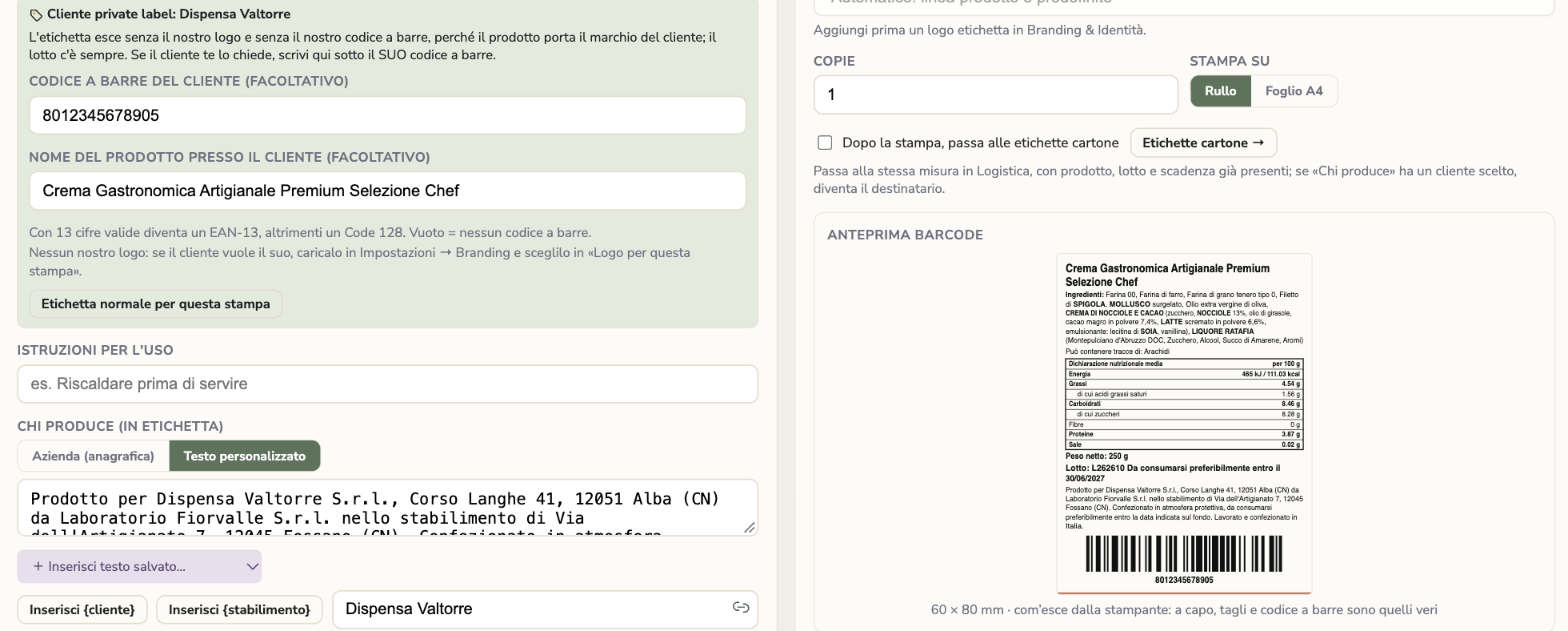
In the customer record you mark the customers you produce for under their brand. Orders, order confirmations and delivery notes say so; labels suggest their barcode, the product name at that customer and their «Made by» text with the production site, and remove your logo and your barcode. Code and name are remembered with one click.

  • The technical sheet can be issued in the customer's name too
  • In Planning and Production, a private label mark on those packs
  • The label check reminds you of the operator's name and address: it does not replace them
KoreLab labels for a private label customer: barcode and product name at the customer, Made by text and preview

Multi-product pallets with SSCC

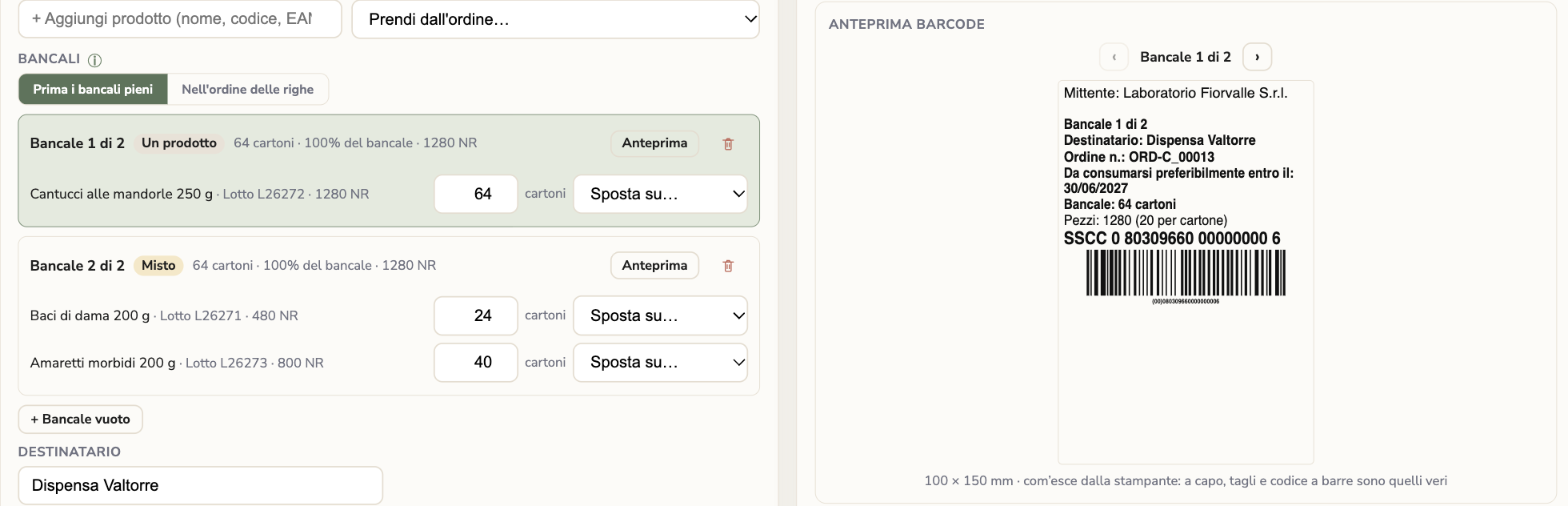
Take the lines from an order or a delivery note: batches and customer come along, and pallets are composed from each product's logistics sheet, «Full pallets first» or «In line order». You adjust them by hand, and each pallet gets its own «Pallet 1 of N» label with its own SSCC (GS1-128).

  • Register of printed pallets, searchable by SSCC, batch, customer or order
  • «Reprint» recreates the label with the same SSCC
  • Warning when a pallet exceeds the logistics sheet capacity
Pallet plan in KoreLab: two pallets composed from the order and label preview with SSCC

Wines and liqueurs: alcohol and sulphites

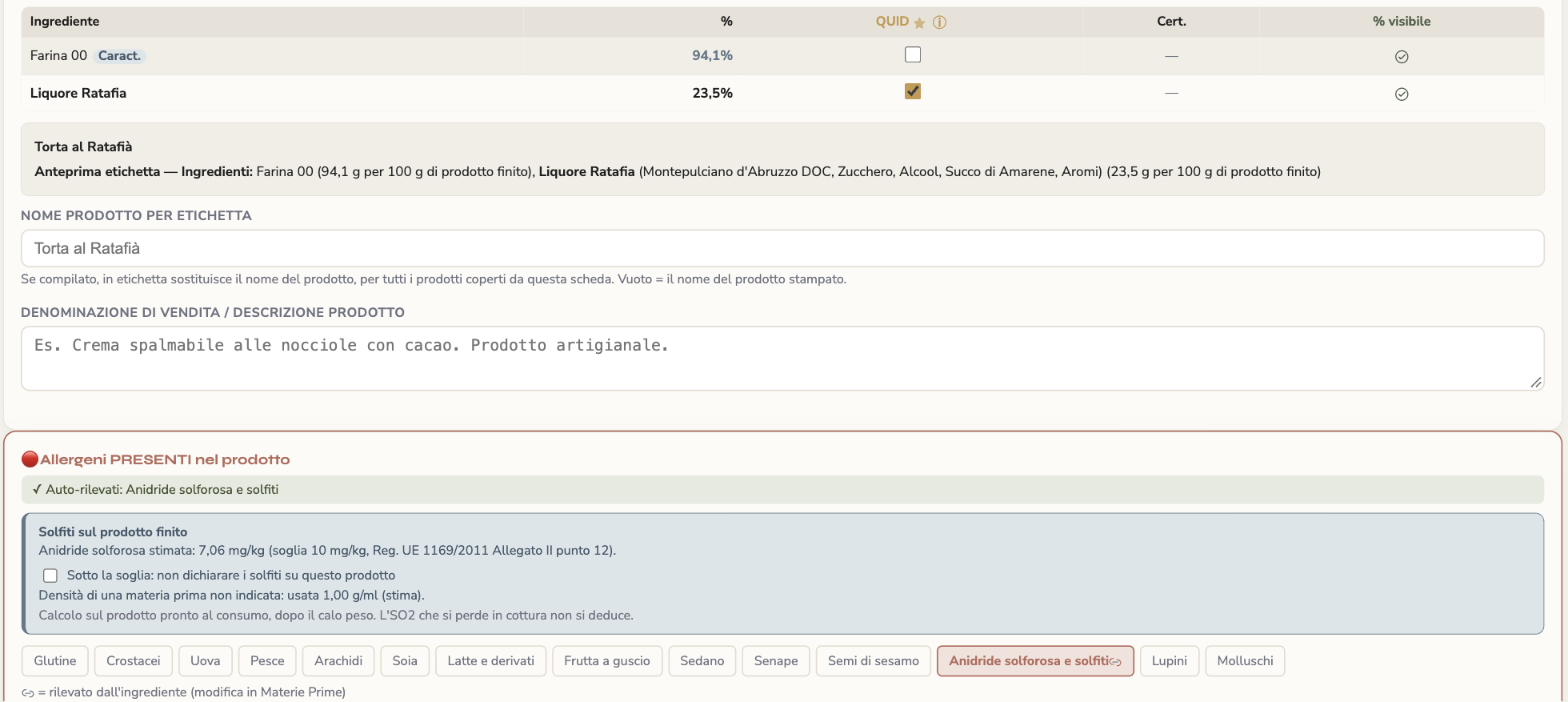
For alcoholic raw materials you record alcoholic strength, density and total sulphur dioxide with its source. KoreLab estimates the finished product's sulphites against the 10 mg/kg threshold: above it they are always declared, below it the declaration is removed only if every figure is there and you confirm it. If the name mentions the liqueur, the sheet reminds you of the QUID.

  • Grams of alcohol per 100 g in the sheet, for information
  • Energy from alcohol (7 kcal/g) when the liqueur has no values of its own
  • «Fill from photo» reads the alcoholic strength and «Contains sulphites»
KoreLab product sheet: liqueur QUID and estimated sulphites on the finished product against the 10 mg/kg threshold
Business plan

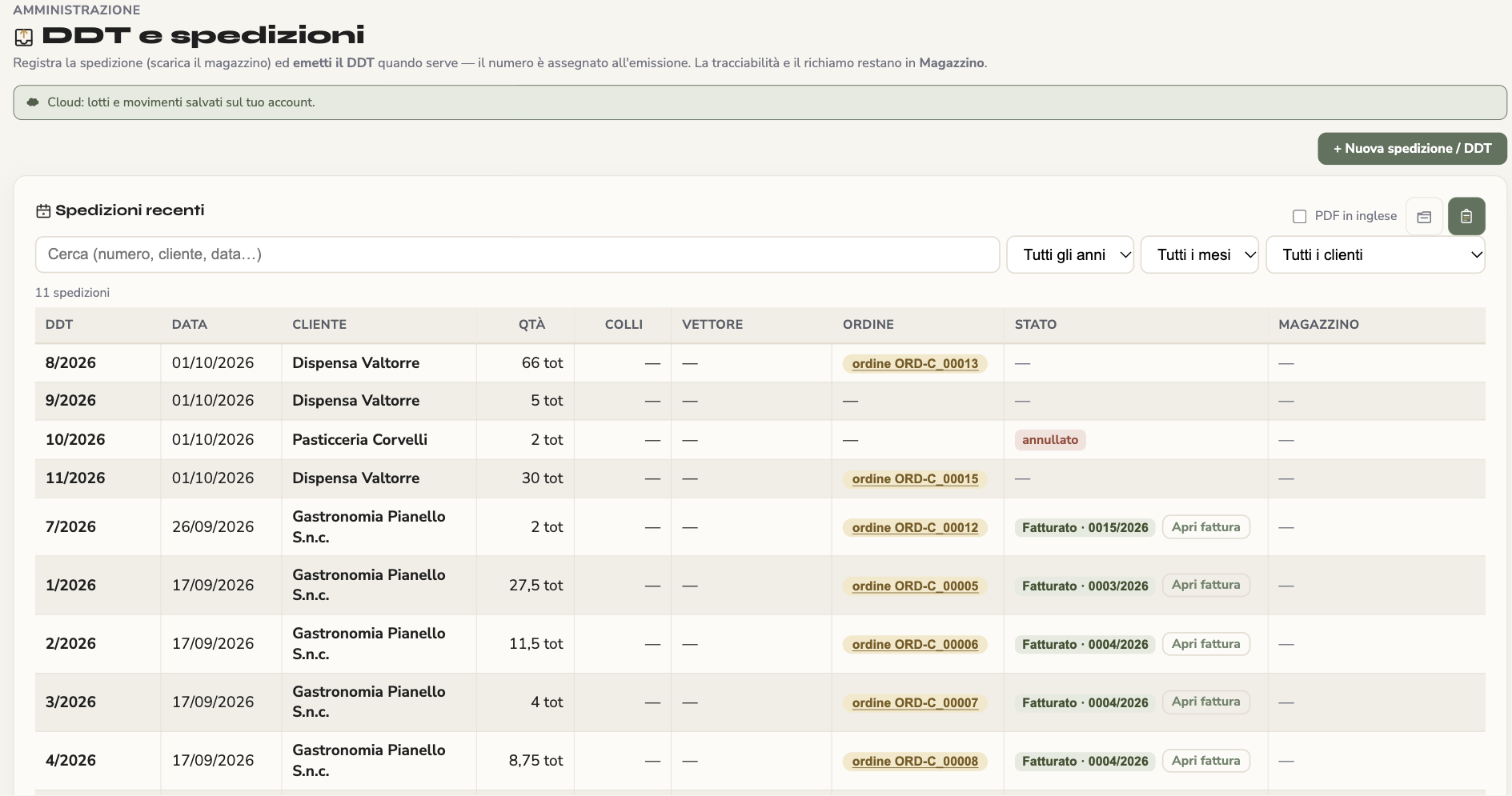
Delivery notes from draft to delivery

A delivery note is saved as a draft, without a number, and takes it on confirmation; from an order that already has a draft you resume it, never a second note for the same goods. «Add what's missing from the order» completes the draft, and a cancelled note stays in the list with its status.

  • From the list you open the linked order and invoice
  • A line without a batch says where the goods are
  • PDF preview inside the app, with the same buttons on orders, delivery notes and invoices
  • A customer order can stay «awaiting acceptance» without committing stock
Delivery note list in KoreLab with linked order, cancelled status and linked invoice
Business plan

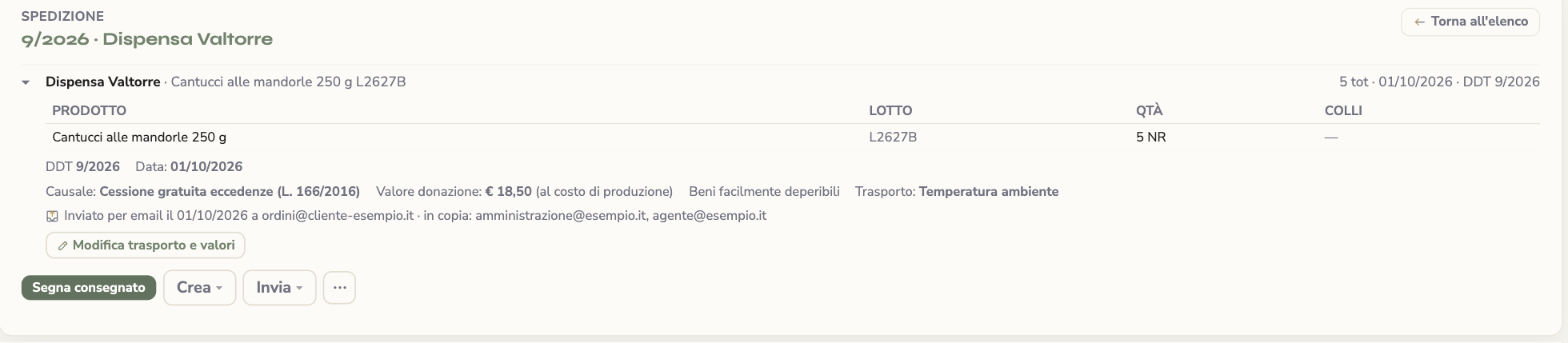
Donations and emails with who was in copy

With the reason «Free transfer of surplus goods» (Italian Law 166/2016) value, basis and easily perishable goods stay on the delivery note. Order confirmations, purchase orders, delivery notes, invoices and traceability files are sent with up to five addresses in copy and, with one tick, to the agent too; the send stays logged on the document with who was in copy.

  • The form helps you see whether the advance notice is due: the decision stays yours, with your accountant
  • The automatic courtesy copy reaches the agent too
Donation delivery note in KoreLab with value, perishable goods and logged email send with addresses in copy
Business plan

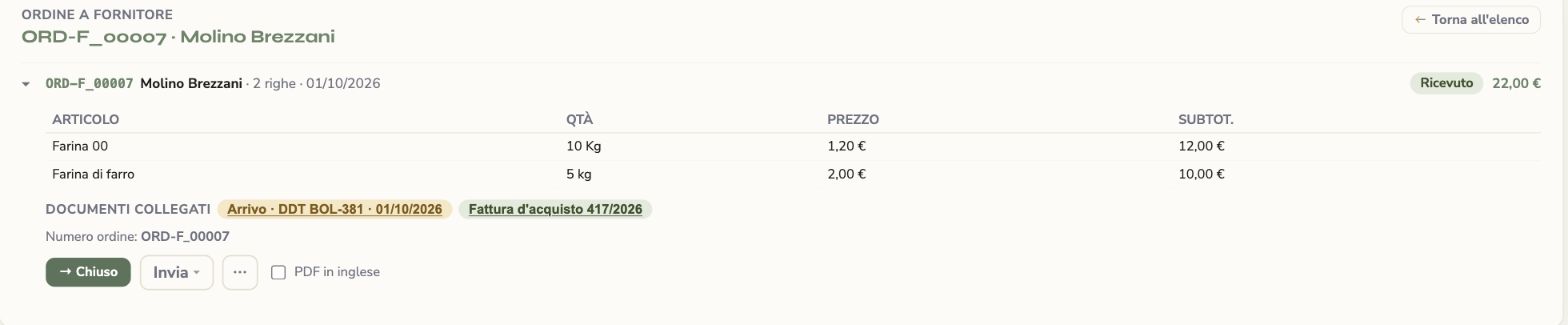
Purchases that talk to each other

Supplier order, goods receipt and purchase invoice open one another from «Linked documents», even when the receipt took its lines from the order. Every receipt has its own sheet, and in collections and payments written-off amounts have their own box.

  • The receipt also loads products' opening stock
  • The supplier on the delivery note is linked to the item that lacked one
Supplier order in KoreLab with linked documents: goods receipt and purchase invoice

Product suppliers and price lists

In the product record the «Suppliers» box says who you buy it from: default supplier, item code and price, which shows in price lists and is suggested in orders and receipts. When a product has both a production cost and a purchase price, a window shows the two costs and, list by list, today's price, the new price and the margin: keep it, recalculate from the new cost or hold the price. No price changes until you decide.

  • Clicking the name in Price lists opens the product record
  • The invoice takes the order's agent, otherwise the customer's
  • Goods sold by the piece read «pcs» on orders, delivery notes, invoices and e-invoices
Suppliers box in the KoreLab product record with default supplier and purchase price

And also

A more careful «Fill from photo»

From the photo of a raw material label it suggests name, ingredients, origin and EAN, even from multilingual labels, and tells you which of the seven mandatory nutrition values are missing. The material stays «to be checked» until you press «Checked».

Direct printing, explained

Printing labels at full quality without going through a PDF reader needs QZ Tray, which is free: the installation guide for Windows and Mac is in the Manual and on the Labels page. Otherwise «Download PDF» works with any printer.

An «Undo» that isn't lost

Deletions can be undone even if you reload the page in the meantime.

What stays with you. KoreLab composes and checks, but does not decide for you: the collection stream depends on the municipality, the donation notice and value remain choices to make with your accountant, sulphites below the threshold are removed only on your confirmation, and the label must still show the operator under whose name the product is sold. Features tagged «Business plan» are included in the Business plan.