The product technical sheet is the document that formally describes a food: what it contains, how it must be stored, which allergens it has, what nutritional values it has. In practice it is not an optional document: a distributor, a large retail chain or a business customer almost always asks for it before listing a product in the catalogue, and it also serves you as a stable reference when the recipe is replicated by different people.
What it must contain
There is no single format imposed by law, but a complete and practically useful technical sheet includes:
- Sales name of the product, in line with EU Reg. 1169/2011.
- List of ingredients in descending order of weight, with allergens highlighted.
- Nutritional values per 100 g/100 ml (energy, fat, of which saturates, carbohydrate, of which sugars, protein, salt).
- Net weight and, where relevant, the drained weight.
- Storage conditions (temperature, duration) and durability (best-before date or use-by date).
- Format and packaging: type of primary and secondary packaging, sales unit.
- Origin of the main ingredients, when required or relevant to the customer.
- Producer details: company name, plant, any EC health mark number.
Where this data really comes from
The point that is often underestimated is that almost all of this data is not separate information: it derives directly from the recipe and the production process. The allergens derive from the ingredients. The nutritional values derive from the composition of the recipe and the weight loss in cooking. The net weight derives from the yield. If you write the technical sheet as a separate document, detached from the recipe, every time you change an ingredient you have to remember to update it by hand — and this is exactly where technical sheets that are out of line with the real product are born.
An example of structure
| Section | Content |
|---|---|
| Identification | Name, product code, producer |
| Ingredients | Descending list, allergens in bold |
| Nutrition | Table per 100 g and, if needed, per serving |
| Physical | Net weight, format, packaging |
| Storage | Temperature, durability, after opening |
| Quality | Any reference microbiological/chemical parameters |
The most common mistakes (and how KoreLab solves them)
1. A technical sheet written once and never updated
A supplier changes, an ingredient changes, but the sheet stays the one from a year ago — and becomes a document that no longer describes the real product.
What KoreLab does
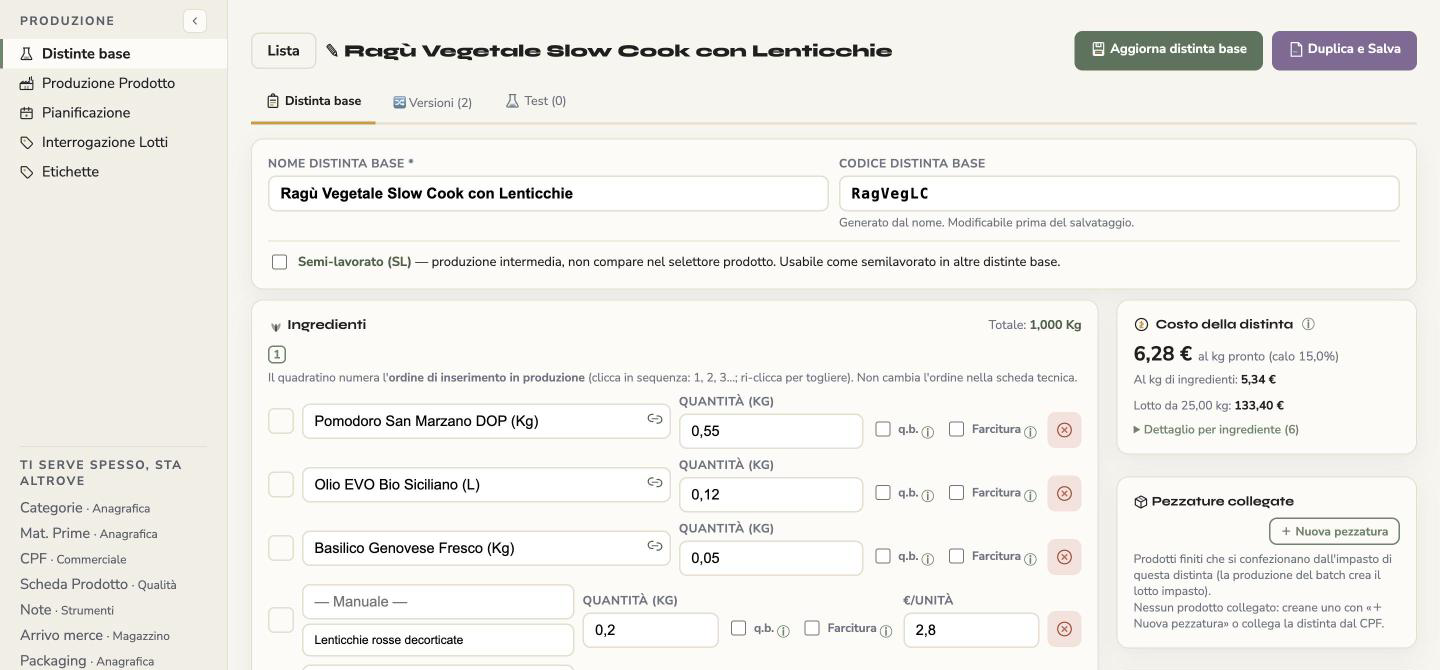
The technical sheet is not a file on its own: it starts from the recipe (the bill of materials), where ingredients and quantities are already recorded. The ingredient list and percentages are read from there every time you open the sheet.
Why it does it
The reason sheets go out of date is that they are a second copy of the recipe data, and a copy has to be updated by hand. Removing the copy removes the problem at the root, instead of asking you to remember it.
What it solves
There is no longer a sheet "from a year ago" that contradicts today's recipe. You also keep the history: each recipe has its versions and you can compare two of them to see what changed.
2. Nutritional values estimated "by eye" or taken from generic sources
instead of being calculated on the recipe and on the actual yield of the finished product.
What KoreLab does
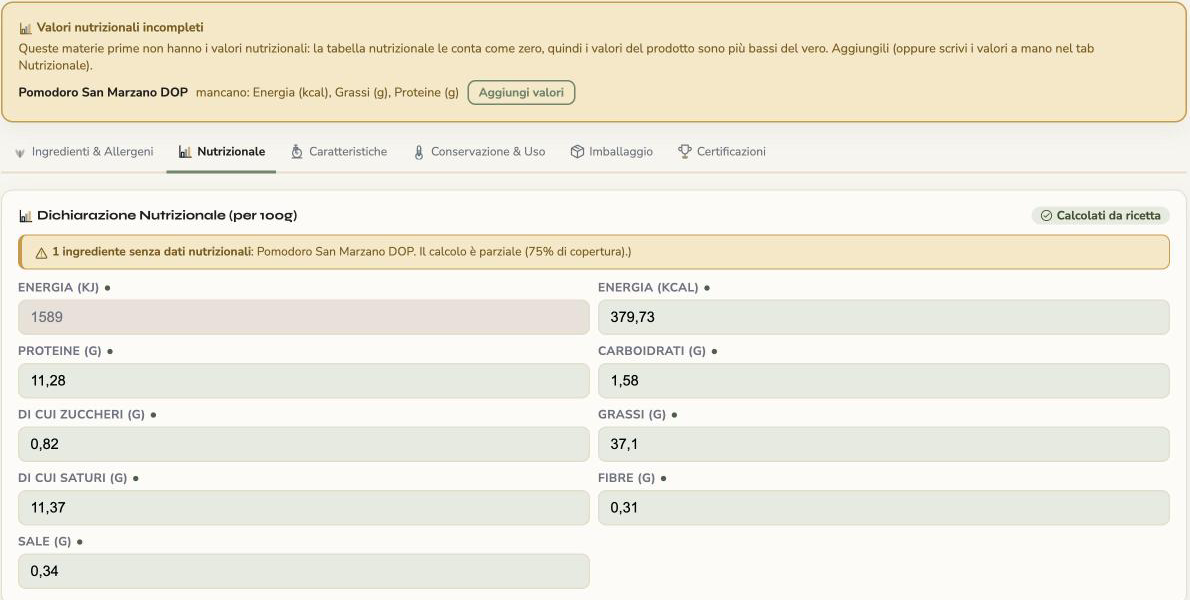
It calculates the values per 100 g starting from the composition of the recipe and the nutritional data of the individual ingredients. If an ingredient is missing its values, the sheet flags it: it lists the raw materials with incomplete data, warns that those values would be counted as zero (and the result would be lower than the real one) and gives you the button to add them.
Why it does it
A nutrition table copied from a "similar" product looks complete but is not. An explicit warning about what is missing is safer than a plausible but wrong number.
What it solves
The table reflects the product you really make, and you know in advance whether there is a piece of data to fix before handing the sheet to a customer.
3. Allergens written separately
, without deriving them from the real ingredient list — with the concrete risk of forgetting one when a raw material changes.
What KoreLab does
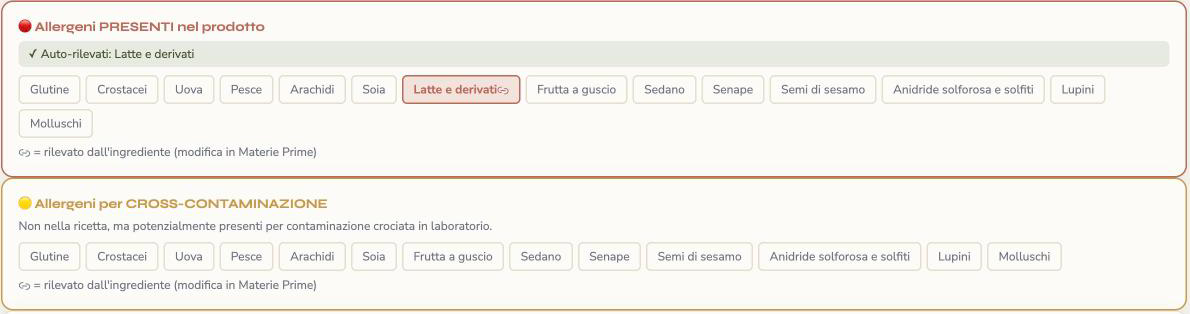
In the «Ingredients & Allergens» section of the sheet the allergens present are detected automatically from the recipe ingredients (with the note «detected from the ingredient»); you can add by hand those due to cross-contamination. The preview shows the allergen table of the PDF, with present, cross-contamination and absent, and the label with the allergens highlighted.
Why it does it
The allergen is a property of the ingredient, not of the document. If you write it in the sheet, you are duplicating information that already exists; if you inherit it, it changes together with the raw material.
What it solves
It reduces the risk of forgetting an allergen after a change of supplier or ingredient — the mistake that weighs most, because it concerns the health of the buyer.
4. Different formats for every customer
, filled in by hand every time: besides the time lost, it increases the risk that two sheets of the same product say different things.
What KoreLab does
The data is entered only once. With «Generate PDF» you get the document from the same sheet (also «PDF in English») and, with «Add variant / format», one sheet covers the same product in different weights or formats without having to duplicate it. With «Translate into English» the AI proposes a translation of the sheet and label texts, which you can correct before generating the PDF.
Why it does it
Every extra copy is an opportunity for the information to diverge. A single source with several outputs keeps the sheets consistent with each other.
What it solves
No more refilling for every request, and two documents of the same product can no longer say different things.

Have it generated from the recipe, don't write it by hand
The most reliable way to have an always-correct technical sheet is to have it generated automatically from the recipe: ingredients, allergens, nutritional values and weight all derive from the same starting data, and stay consistent with each other by construction. This is what KoreLab's automatic technical sheet does, generated from the same recipe that calculates food cost, CPF (full production cost) and allergens: when you change an ingredient, the technical sheet and the nutritional values are updated together, without having to think about it again.
You can try it for free on your first products: create a free account.
In short
A complete technical sheet gathers name, ingredients, allergens, nutritional values, weight, storage and producer details. The way to keep it always correct is not to update it by hand at every change, but to have it derive directly from the recipe — so that every piece of information stays consistent with the product that really leaves the workshop.